AI GIF studio
Text to GIF
Create a short animated scene from a written idea. Describe the subject, one repeating action and a visual style; no source photo is needed. This mode suits invented reactions, small characters and simple looping illustrations.
- No photo needed
- Paid credits required
- Choose your visual style
- Download in one click
0 / 600 characters
1 credit per GIF
Each new account gets 1 free photo-to-GIF generation total, with a watermark. Text-to-GIF requires paid credits. Sign in to start.
Text-to-GIF uses paid credits only. Free credits can be used on Image to GIF.
Only upload photos you have the right to use. Photos of children and adult content are not accepted.
File specs, credits & privacy
- Access & cost
- Sign in to generate. Each new account gets 1 free photo-to-GIF generation total, with a watermark. Text-to-GIF requires paid credits. Each GIF uses 1 credit. Free-credit GIFs are watermarked; new paid-credit GIFs are not.
- Output & limits
- GIF, longest side up to 480 px in both tiers. Forward-and-back playback with a solid background. The result panel shows file size, frames and playback duration. Paid generations use purchased credits with no daily generation cap. Free photo generations have separate daily limits. Each account can run one generation at a time.
AI inputs and results are processed by our server and providers. Results are private to your account. We attempt source-photo deletion when a task succeeds, fails or enters review; cleanup can fail. Provider retention follows separate policies. Free editing tools process selected files locally.
Credit packsPrivacy detailsContent rightsCredit returns & refunds
Prompt ideas · 600 characters maximum
Example prompts — copy one, adjust it, then hit Generate.
Reaction · hello
A small friendly robot waves one hand on a plain blue background, flat cartoon style, fixed camera.
Reaction · surprise
A round cartoon creature widens its eyes in surprise, plain peach background, fixed camera.
Cute animal · kitten
A sleepy orange kitten yawns on a cream blanket, warm light, soft illustration, fixed camera.
Cute animal · rabbit
A rabbit wiggles its nose in a simple green meadow, pastel illustration, fixed camera.
Pixel character · wave
A pixel art adventurer waves one hand against a plain dark background, fixed camera.
Pixel character · hover
A tiny pixel art ghost floats gently in place against a deep blue background, fixed camera.
Environment · lantern
A paper lantern sways gently in the night breeze, simple watercolor style, fixed camera.
Environment · campfire
A small campfire flickers beneath a still starry sky, pixel art, fixed camera.
How it works
How to make a GIF from text
- 11
Build a focused prompt
Combine subject, action, setting and style: “a tiny robot waves one hand on a plain blue background, pixel art”. Leave out competing camera moves and multiple scene changes. You can enter up to 600 characters.
- 22
Generate the scene
Submit the description and wait for the frames to be drawn and assembled. Keep the task open rather than submitting the same request again while it is processing.
- 33
Review readability and motion
Watch the character, background and return to the first frame. Save the GIF if the action reads clearly at chat size. If you want a different style, revise the description deliberately; a fresh generation is a separate credit-consuming task.
Before → after
Real results from this tool
Each card shows the exact sentence that was typed; hover or tap to play what the model drew from it. Five were generated on 10 November 2026; the corgi is the original 6 November free-credit sample with a watermark.
- PromptText GIFHover to playTap to play
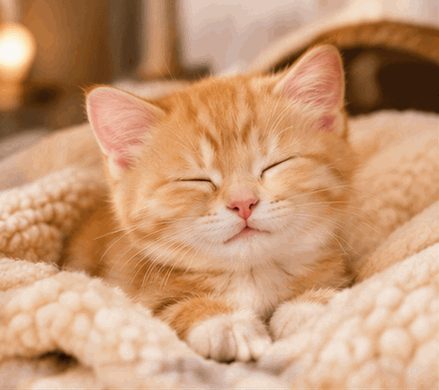
“A sleepy orange kitten yawns on a cream blanket, warm light, soft illustration, fixed camera.”
Sleepy kitten yawnsFrom text 2026-11-10 · APIMart GPT Image 2.6 Flare · text prompt · 439×390 px · 16 frames · 3.20 s loop · 1.04 MiB · 107 s wait
- PromptText GIFHover to playTap to play
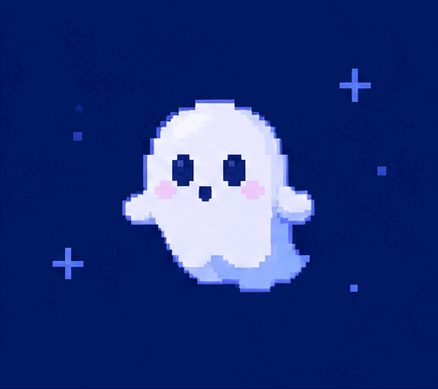
“A tiny pixel art ghost floats gently in place against a deep blue background, fixed camera.”
Pixel ghost hoversFrom text 2026-11-10 · APIMart GPT Image 2.6 Flare · text prompt · 438×389 px · 16 frames · 3.20 s loop · 0.34 MiB · 107 s wait
- PromptText GIFHover to playTap to play
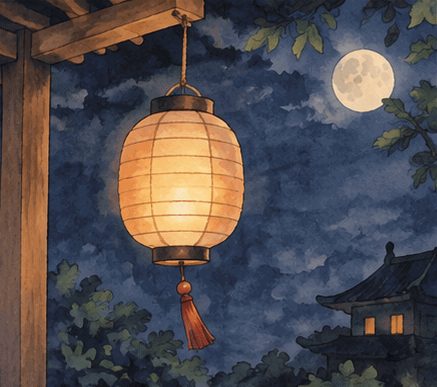
“A paper lantern sways gently in the night breeze, simple watercolor style, fixed camera.”
Paper lantern swaysFrom text 2026-11-10 · APIMart GPT Image 2.6 Flare · text prompt · 437×387 px · 16 frames · 3.20 s loop · 1.21 MiB · 45 s wait
- PromptText GIFHover to playTap to play
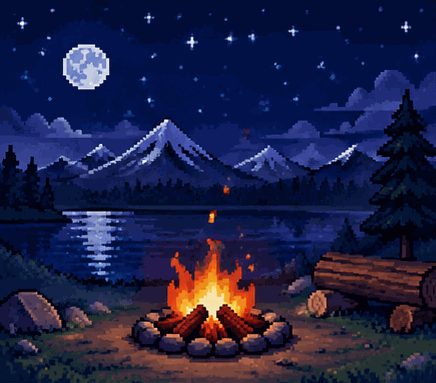
“A small campfire flickers beneath a still starry sky, pixel art, fixed camera.”
Campfire flickersFrom text 2026-11-10 · APIMart GPT Image 2.6 Flare · text prompt · 436×383 px · 16 frames · 3.20 s loop · 0.89 MiB · 44 s wait
- PromptText GIFHover to playTap to play
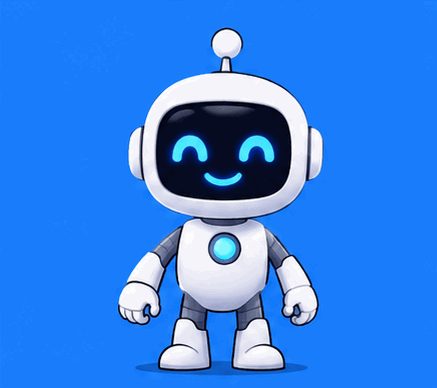
“A small friendly robot waves one hand on a plain blue background, flat cartoon style, fixed camera.”
Friendly robot wavesFrom text 2026-11-10 · APIMart GPT Image 2.6 Flare · text prompt · 437×388 px · 16 frames · 3.20 s loop · 0.44 MiB · 44 s wait
- PromptText GIFHover to playTap to play
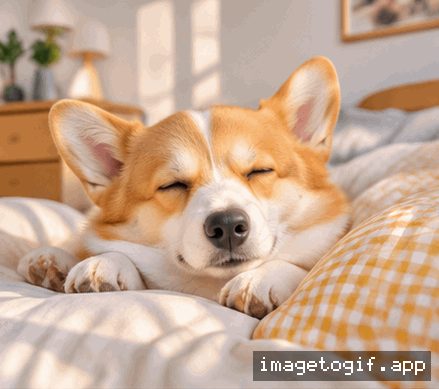
“A sleepy corgi yawning on a sunny pillow, soft morning light, cozy bedroom”
Sleepy corgi — from textFrom text 2026-11-06 · APIMart GPT Image 2.6 Flare · text prompt · 439×389 px · 16 frames · 3.20 s loop · 1.13 MiB · 64 s wait · free credit, watermarked
Hover or tap a card to play. Samples were generated by the site team with the same settings users get; one attempt each, shown as produced.
Compare
Choose the input you have
| Feature | Written idea | Existing photograph | Prepared frames |
|---|---|---|---|
| Task | Invent a short scene | Generate movement from a reference | Play your images in sequence |
| Entry | Text to GIF | Image to GIF | Images to GIF |
| Control | Describe a visual style | Use a photo as the visual reference | Choose order, Fit/Fill and timing |
| Cost | 1 paid credit; no watermark | 1 credit; free-credit results watermarked | Free local processing, no credits |
FAQ
Frequently asked questions
AI interprets your prompt, so appearance, frame count and generation time vary. Watch the complete result and check small details before sharing.
How should I write a text-to-GIF prompt?
Use a concrete subject and one action: “a paper boat rocks gently on calm water, simple watercolor illustration”. A short scene with a stable viewpoint is easier to loop than a story with several events. Add only the details that matter to the result. The input accepts up to 600 characters.
How do I choose a style?
Write the style directly in the prompt, such as pixel art, clay-like shapes or flat cartoon colors. Pair it with a simple background and a readable silhouette. Name the visual qualities you want, such as soft colors, rounded shapes or crisp pixel edges.
What should I do if generation fails or stays pending?
Open your account to check the original task. Leave pending and under-review tasks in place while their outcome is checked. Once a task is confirmed failed, simplify the scene before starting a new one. The Pricing FAQ explains generation credits and credit returns.
Why does the result differ from my description?
The model interprets the whole scene rather than executing a drawing program. Too many objects or contradictory instructions can weaken the main action. Keep the subject and motion together in the first sentence, remove secondary details, and check whether the output conveys the intended reaction.
Can I generate readable captions inside the GIF?
For exact spelling, generate the visual reaction here and add a caption afterwards with a text-overlay editor. Keep critical labels and instructions in that separate caption layer.
Can one prompt make a long story?
This mode is designed for a short loop, not a multi-scene video. A repeated gesture or small environmental movement fits better than a beginning, middle and ending. The example has 16 playback frames after forward-and-back assembly.
Keep going
More GIF tools
- Image to GIF (AI)Animate a single photo into a looping GIF with AI.
- Reaction GIF MakerNod, shake, shock, cry or heart-eyes — emote-style GIFs from a photo or text.
- AI GIF GeneratorStart from text or a photo — pick the right AI tool.
- GIF CompressorReduce GIF file size toward a target; results vary.
- GIF ResizerChange GIF width, height or crop it square.
- WebP to GIFConvert animated or still WebP files to GIF, in bulk.
- Images to GIFCombine several pictures into one GIF, in your order.
- Add Text to GIFPut a meme caption on top or bottom of any GIF, in your browser.